Student and Staff Notifier - FAN Tool
Access the FAN tool to communicate with students and track document collection
Launch FAN Tool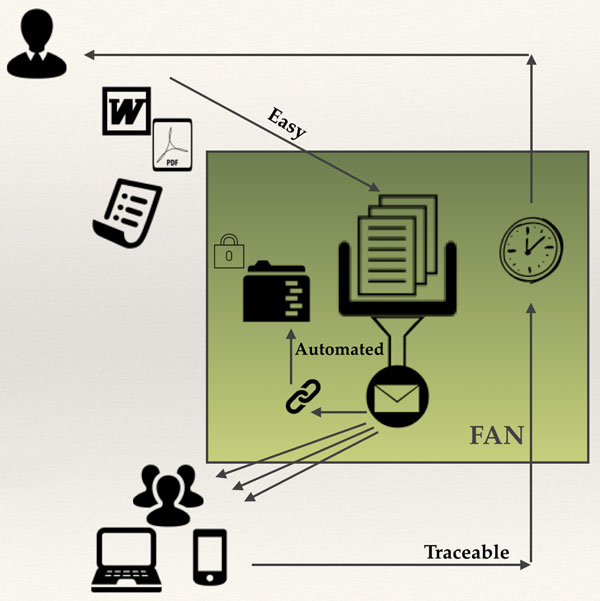
Introduction
When I have to communicate with a group of students to pass documents such as Word and PDF I use the Feedback and Notification (F.A.N.) tool - if they have to receive individual material. It also allows me to check if they have collected the document, when they collected it and how often they have downloaded it.
I make use of the CRN number allocated to each instance of a module to identify the correct set of students.
View a demonstration of How to Prepare files for use with FAN (5mins).
Templates to create Email Address-based Files for use with FAN
Excel Template with data from: https://webservices.ulster.ac.uk/modules/studentlists within the Portal.
Word Template.
How to Control Excel and Word
How to get enter a "Carriage Return in Cell" in Excel 2011 in Microsoft Office.
How to use the Frequency Function in Excel 2011 in Microsoft Office.
Sample Excel File with a Graph Tab that includes the Frequency Distribution formula
How to split the Merged Word file into the separate Word files for use with FAN (Win PC or MAC Macro as txt file to include in Normal.dot).
Convert Word files to PDF (MAC only).
How to split the Merged Word file into the separate Word files and PDFs in one go for use with FAN (Win PC only).
FAN_2_GradeBook Tool to convert the FAN Collection report table to a Blackboard GradeBook GC file.
Support Video that shows the process of combining the FAN Collection report with a GradeBook GC file. (2min 11sec duration)